Frontend / API Integration
Real-Time Currency Converter
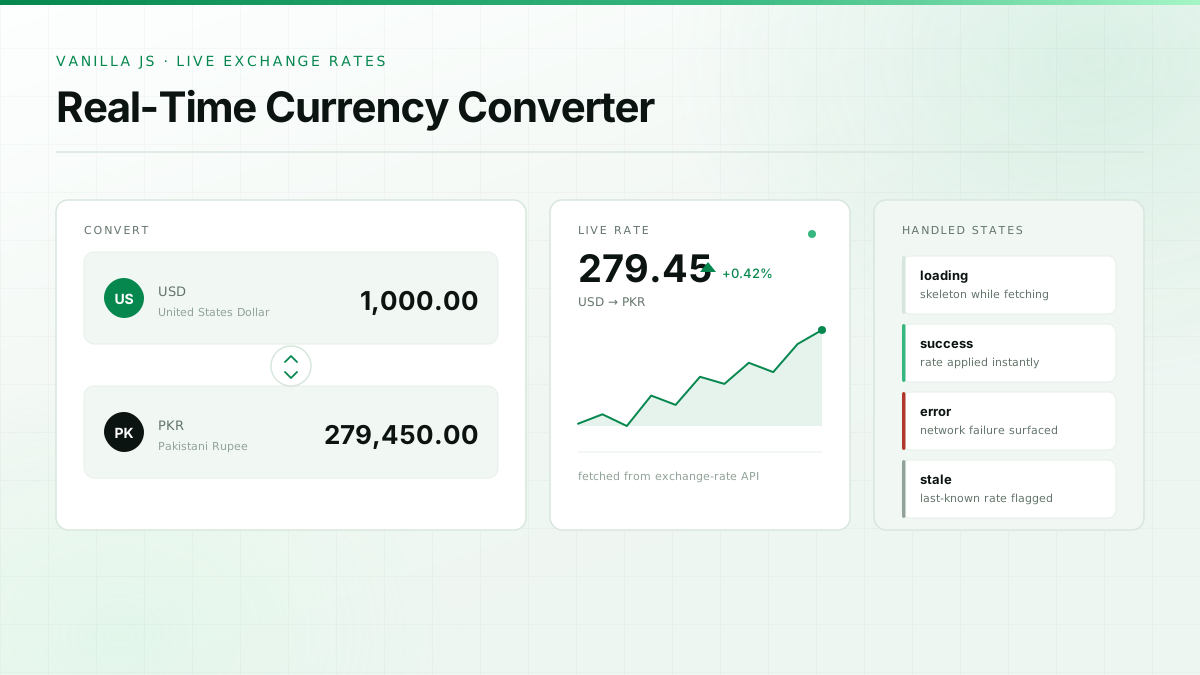
A real-time currency converter that lets users convert between currencies using live exchange rates from an API. Built deliberately without a framework — just HTML, CSS and JavaScript — to understand what the framework is doing for you.
What it is.
Small project, useful lesson. Fetching live rates means dealing with loading states, network failures and stale data — all the things a static mock-up lets you ignore.
Writing it in vanilla JavaScript meant handling DOM updates, event wiring and formatting by hand, which made later React work feel much less like magic.
02 — The problem
Converted amounts are only useful if the rate behind them is current, and a hardcoded rate table is wrong the day after it is written.
03 — The approach
Fetch rates from a live exchange-rate API on demand, convert against the selected pair, and keep the interface responsive on any screen size.
What it actually does.
Live exchange rates
Rates are fetched from the API rather than stored in the source.
Multiple currencies
Any supported pair can be selected from both dropdowns.
Instant conversion
Results update as the amount or the currency pair changes.
Responsive layout
Works from a phone screen up to a desktop without a UI framework.
How the pieces fit together.
Interface
Semantic HTML form with two currency selects.
Fetch layer
Async request to the exchange-rate API with error handling.
Conversion
Rate applied client-side and formatted for display.
The stack.
Chosen for the problem, not for the resume.
- HTML5CSS3JavaScript
- Exchange-rate REST API
The part that stuck.
Student portfolio, so this section is the point — here is what this build actually taught me.
Network calls fail, and the interface has to say so. Adding loading and error states was the difference between a demo and something usable.
Doing DOM work by hand made me appreciate exactly which problems React is solving.
Formatting currency correctly is fiddlier than it looks — Intl.NumberFormat exists for good reasons.
To-Do List Web Application
A React CRUD application built to get the fundamentals of state and component structure right.
Have a project idea?
I'm open to freelance projects, collaborations, internships, and opportunities where I can contribute while continuing to grow.
Usually replies within a day · Lahore, Pakistan · PKT (UTC+5)